Just Words
📖 About the Game
What Is Just Words?
Just Words is a classic tile-based word game that challenges players to build high-scoring words on a shared board using lettered tiles. Think of it as a refined, browser-based take on the beloved crossword-style format — the kind of game where every letter placement carries real strategic weight. What sets the just words game apart from similar titles is its seamless blend of competitive multiplayer and solo puzzle play, all within a clean, distraction-free interface.
The core gameplay loop is straightforward: players draw tiles from a pool, then use them to construct words across a grid, connecting to existing letters already on the board. Scoring depends on letter values and bonus squares, so knowing when to burn a high-value tile versus saving it is the difference between winning and losing. It originally gained massive popularity through just words AOL, where millions logged on to challenge friends directly from their browser.
Unlike many word games that feel rushed or chaotic, this one rewards patience and vocabulary depth. A single well-placed four-letter word on a double-word square can change the entire momentum of a match. It’s the kind of game where you say to yourself, “I should have seen that move earlier.”
Why You’ll Love Playing Just Words Online
Top Benefits of Playing Online
One of the biggest draws of Just Words is that it’s completely free to play — no download required, no credit card, nothing blocking you from jumping straight into a match. You can access it from any modern browser, whether you’re on a desktop running Microsoft Windows or a mobile device, making it genuinely cross-platform. The game loads quickly and doesn’t demand high-end hardware, so even an older machine can handle it without issue.
Playing online also means you can find an opponent at almost any time of day, which keeps the competitive spirit alive without forcing you to schedule game nights. The asynchronous multiplayer format lets you take your turn and come back later — something particularly useful if you want to play without committing to a two-hour session. It’s the kind of freedom that makes the game sustainable as a daily habit rather than an occasional indulgence.
For fans of AOL just words, the transition to modern browser-based play feels natural. The interface preserves the familiar grid layout while adding quality-of-life improvements like automatic tile shuffling and clearer score tracking. If you enjoy games like PopStar Mania, which also rewards pattern recognition and quick thinking, Just Words scratches a similar strategic itch in a completely different genre.
Game Features
Key Features & Mechanics
- Solo & Multiplayer Modes: Players can challenge a live opponent online or sharpen their skills against a computer opponent — two distinct experiences that suit different moods and time constraints.
- Tile-Based Word Construction: The core mechanic revolves around placing letter tiles on a grid to form valid dictionary words, with special squares multiplying the value of individual letters or full words.
- Free-to-Play Access: The game is fully free, requiring no account creation to get started, though registering lets you track stats and challenge specific opponents.
- Quick Session Support: A standard match can be completed in as little as ten minutes, making it ideal for short breaks without sacrificing depth.
- Browser-Based Platform: No download or installation needed — just open a page in your browser and start playing immediately on PC or mobile.
- Vowel Management System: One unique mechanic forces players to actively manage vowel distribution in their tile rack, since drawing too many vowels without consonants can stall your turn entirely.
How Just Words Compares to Similar Word, Puzzle, Multiplayer, Strategy Games
Genre Comparisons & Differences
Compared to other browser-based word games, Just Words leans harder into competitive strategy than pure vocabulary testing. Where some word puzzle titles reward players simply for knowing obscure terms, this game demands you think three moves ahead — much like a chess player anticipating an opponent’s response. The board positioning element adds a layer of tactical depth that pure anagram games simply don’t have.
Against asynchronous mobile word games, Just Words holds its own by offering real-time match options as well. Many competing titles lock you into one format; this game gives you the choice, which matters when you want something just like this words experience but with more control over pacing. The interface also feels less cluttered than many modern alternatives, keeping the focus on language and strategy rather than cosmetic distractions.
For puzzle-focused players who also enjoy number or logic games, Just Words occupies a satisfying middle ground. It demands left-brain linguistic skill but also the right-brain spatial awareness of seeing how words can interlock. That duality is what makes it more replayable than single-mechanic word games.
Game Modes
Classic Mode
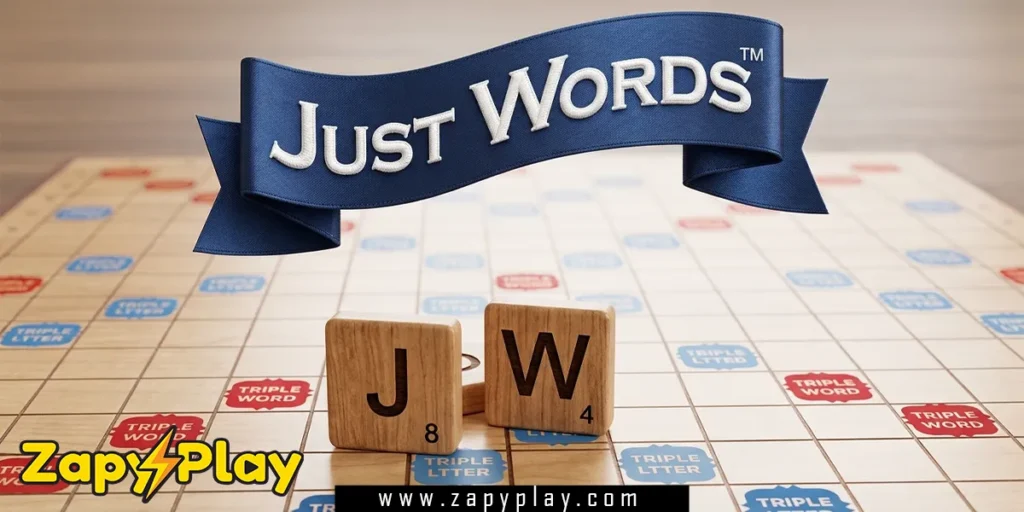
Classic Mode is the standard two-player competitive experience, where both players draw from the same tile pool and alternate turns placing words on a shared board. The objective is to outscore your opponent by the time all tiles have been used or no more legal moves remain. Bonus squares — including double-letter, triple-letter, double-word, and triple-word spaces — create high-pressure decision moments where one turn can swing the score dramatically.
Solo Practice Mode
In Solo Practice Mode, you play against a computer opponent calibrated to different difficulty levels, making it accessible for beginners while still being challenging for veterans. This mode is ideal for building confidence with less common words before taking on human opponents. It’s also a great way to learn which three- and four-letter combinations score consistently well without the pressure of a live match.
Challenge Mode
Challenge Mode introduces timed turns, forcing players to make decisions faster than they might in a relaxed Classic game. The added pressure changes the strategy significantly — you can’t afford to spend three minutes hunting for the perfect word when you only have sixty seconds per turn. This mode is where experienced players truly separate themselves, using their tile awareness and vocabulary recall without hesitation.
Tips & Tricks to Win at Just Words
Proven Strategies & Pro Tips
- Control the premium squares early: Don’t wait to use triple-word score squares — if you don’t claim them, your opponent will. In a close match, landing even a two-letter word like “qi” or “za” on a triple-word space can add significant points and block your opponent from a big play.
- Keep a balanced tile rack: Try to maintain a mix of vowels and consonants at all times, ideally two or three vowels among your seven tiles. If you find yourself holding four vowels, it’s worth sacrificing a turn to exchange tiles rather than forcing a low-scoring play.
- Learn two-letter words: The official word list includes dozens of valid two-letter words that most casual players don’t know. Words like “xi,” “jo,” and “ef” can save a blocked turn and often open new scoring lanes on the board.
- Build parallel words: Instead of always extending existing words, try placing a new word parallel to one already on the board, creating multiple smaller valid words simultaneously. This technique can multiply your score dramatically and is something even experienced players say they underuse.
- Don’t leave open triple-word squares: Before ending your turn, scan the board for any triple-word squares your play might have left adjacent and accessible. If you’ve just created a lane that lets your opponent drop a high-value consonant like “z” or “q” onto a premium square, consider whether an alternative placement was available.
Who Is Just Words For?
Target Audience & Player Fit
Just Words is built for anyone who loves language but wants more than a simple anagram solver. It appeals strongly to adults and older teens who enjoy thinking games, crossword enthusiasts, and Scrabble fans looking for a free online alternative that doesn’t require buying a board game or a premium subscription. The game is accessible enough for a casual player on a lunch break but deep enough that someone can invest hours developing real competitive skill.
It also works beautifully for players who don’t want something just like this words title that demands constant attention. The asynchronous format means you can make one move, close the page, and return later — no session interrupted, nothing lost. Whether you want a quick five-minute match or a full evening of competitive play across multiple boards, this game scales to your availability.
Why Just Words Is One of the Best Free Online Games to Play
Final Verdict & Recommendation
From a design standpoint, Just Words succeeds because it respects the player’s intelligence. There are no confusing menus, no aggressive monetization popups, and no bloated tutorial sequences — just a clean board and the challenge of language. The Scrabble-style mechanics that underpin the game are time-tested, and this implementation executes them cleanly.
Accessibility is another genuine strength. The game runs in any modern browser, costs nothing, and doesn’t require you to download anything or create an account to get started. That zero-friction entry point means you can share the link with someone and have them playing within thirty seconds — a quality that many so-called free games don’t actually deliver.
The community and replayability factor is where Just Words quietly excels. Because no two boards develop the same way, every match feels genuinely different, and the multiplayer element means you’re constantly adapting to another person’s strategy rather than solving a static puzzle. If word games are your thing, this is one title you’ll keep coming back to. Head to the game page right now and see how many points you can rack up on your very first board.
For players who love competitive word strategy, understanding the deeper mechanics of tile-based games can give you a real edge over opponents who rely purely on vocabulary.
Frequently Asked Questions About Just Words
What exactly is Just Words and how do you play it?
Just Words is a browser-based, multiplayer word tile game where players take turns placing lettered tiles on a grid to form valid words. Each letter has a point value, and special squares on the board multiply scores. The player with the most points when the tile pool runs out wins the match.
How is Just Words different from the original AOL Just Words game?
The original AOL Just Words game was hosted on the AOL Games portal and allowed users to challenge friends through their AOL accounts. Modern versions of the just words game preserve the same core mechanics but run natively in the browser without needing the AOL platform, making them accessible to anyone without an AOL login.
Is Just Words free to play, and do I need to download anything?
Yes, Just Words is completely free and requires no download whatsoever. You can open it directly in your browser on any page that hosts the game, whether on a PC, tablet, or smartphone. There is nothing to install and no payment required to access the core gameplay.
Is there something just like this words game available on mobile?
Yes, the browser version of Just Words is mobile-compatible, meaning you can play it on a smartphone or tablet without needing to buy a dedicated app. The touch interface works smoothly for tile placement, and the asynchronous multiplayer format makes it particularly well-suited to mobile play during commutes or short breaks.
What are the best words to use when you’re stuck with bad tiles in Just Words?
When your rack is unbalanced — say, loaded with vowels or lacking any high-value consonants — lean on short but valid two-letter words to open new lanes on the board without wasting tiles. Words like “qi,” “xu,” and “jo” are legal in standard word game dictionaries and can score well on premium squares. If nothing works, exchanging tiles is always a valid strategy, even if it costs you a turn.
You May Also Like
Check out these awesome games from our collection:
🎮 How to Play
Start a Match
Choose to play against a computer opponent or challenge another player online. Select your preferred difficulty or invite a friend to begin the game.
Draw Your Tiles
At the start of each turn, you hold up to seven letter tiles. Review the values of each tile and plan your word placement before making a move.
Place a Word
Click and drag tiles onto the board grid to form a valid word. Your word must connect to an existing tile already on the board, except on the very first turn.
Score Your Points
Once you confirm your placement, the game calculates your score based on letter values and any bonus squares your tiles landed on. Double and triple score squares are key to big turns.
Manage Your Rack
After scoring, new tiles are drawn automatically to refill your rack to seven. If you have poor tiles, you can skip a turn to exchange some or all of them for new ones from the pool.
Win the Game
The match ends when all tiles have been played or no legal moves remain. The player with the highest total score wins. Keep an eye on the remaining tile count to time your big plays.
⌨️ Keyboard Controls
⚡ Pro Tips
- Always scan for open triple-word score squares before finalizing your turn — even a short two-letter word on a premium square can outscore a longer word placed on a standard space.
- Keep at least two vowels in your rack at all times. Burning all your vowels on one play often leaves you unable to form any words on the next turn, giving your opponent a free scoring round.
- Learn the high-value two-letter words like 'qi', 'za', and 'jo' — they are legal in standard word game dictionaries and can rescue a turn when your tiles seem impossible to work with.
- Block your opponent by playing adjacent to triple-word squares in a way that makes them difficult for the other player to reach without helping you in return.
- In the final rounds of the game, track which tiles remain in the pool. If you know your opponent has the 'Q' but no 'U', they will struggle to play it and may lose points for holding it at the end.