Melon Playground
📖 About the Game
What Is Melon Playground?
Melon Playground is an engaging, open-ended physics-based sandbox game that invites players into a world of endless experimentation and creative destruction. At its core, this title provides a virtual play space where users can manipulate ragdoll characters and a vast array of objects, from basic shapes to intricate contraptions. The central gameplay loop revolves around spawning elements, interacting with them using various tools like syringes and ropes, and observing the realistic (or hilariously exaggerated) physical reactions. Unlike many rigid action games, Melon Playground thrives on player agency, offering a unique opportunity to build scenarios, perform tests, and unleash chaotic fun without predefined goals. Its charm lies in the raw, unadulterated freedom it provides, allowing players to orchestrate elaborate chain reactions or simply watch ragdoll physics unfold in often comical ways.
Why You’ll Love Playing Melon Playground Online
Top Benefits of Playing Online
One of the most compelling reasons to dive into Melon Playground is its remarkable accessibility. You can easily find and play Melon Playground online directly through your browser, making it a fantastic option for quick sessions or extended creative endeavors. This means no lengthy downloads or complex installations are needed to get started; just navigate to a compatible platform and begin your sandbox adventure. Many players seek out Melon Playground unblocked versions to ensure uninterrupted play at school or work, which speaks volumes about its engaging nature and broad appeal. The convenience of being able to play Melon Playground on PC, Mac, iOS, or Android devices further enhances its appeal, allowing you to pick up and continue your experiments virtually anywhere. The experience is designed to be largely ad-free on many dedicated platforms, offering a seamless and immersive playground for all.
Game Features
Key Features & Mechanics
- Unlimited Sandbox Mode: The primary mode offers an infinite canvas for creativity, allowing players to spawn, manipulate, and destroy a vast collection of items and ragdoll characters. There are truly unlimited possibilities, from simple interactions to complex contraptions.
- Intuitive Physics Engine: The game’s robust physics engine brings every interaction to life, making objects collide, break, and react in satisfying ways. Mastering these mechanics is key to creating elaborate scenarios, whether you want to drop a heavy crate or launch a character across the map.
- Extensive Item & Tool Library: Players have access to a rich arsenal of tools, including weapons, explosives, building materials, and unique items like the syringe, which can alter character states. This variety allows you to make virtually any scenario you can imagine, from a simple puzzle to a complex siege.
- User-Generated Content & Mod Support: A thriving community continuously creates and shares new content, from character skin packs to entirely new game mechanics. The ability to download Melon Playground mods or use an in-game editor means the game’s lifespan is constantly extended with fresh ideas and assets like fnaf-themed characters or ww2 weaponry.
- Cross-Platform Compatibility: Whether you want to play Melon Playground on your PC, Mac, iOS, or Android phone, the game offers a consistent experience. Many platforms allow you to play online without any download, while others offer a dedicated apk for mobile users.
- Advanced Object Editor: Beyond simple item spawning, players can delve into an in-game editor to modify existing items or create entirely new ones. This includes changing textures, applying custom code, and setting specific physical properties, turning a basic template into something truly unique.
How Melon Playground Compares to Similar Action, Casual, Physics, Sandbox Games
Genre Comparisons & Differences
Melon Playground distinguishes itself within the physics sandbox genre by prioritizing immediate, casual fun over complex progression systems. While games like Garry’s Mod offer immense 3D freedom, Melon Playground often operates in a more accessible 2D or 2.5D environment, focusing on simpler drag-and-drop interactions that are easy for new players to grasp. It lacks the deep, systemic economy or questlines found in titles such as Minecraft, instead offering a purely experimental space where ‘failure’ is often just another hilarious outcome. Players who enjoy the foundational mechanics of games like People Playground but prefer a less grim aesthetic or a more streamlined interface will find Melon Playground to be an excellent fit. Its emphasis on quick, creative bursts of activity sets it apart from more structured experiences, encouraging players to just mess around and discover new possibilities.
Game Modes
Creation Mode
In Creation Mode, your imagination is the only limit. Here, players can construct elaborate scenes, contraptions, or even entire miniature worlds from scratch using the extensive item library. The objective is to design and build, arranging items and characters in specific configurations, perhaps to stage a humorous tableau or a complex Rube Goldberg machine. Challenges often arise from manipulating the physics to achieve desired outcomes, ensuring your carefully placed door or lever functions exactly as intended. This mode heavily utilizes the item editor, allowing for custom assets and textures to truly make your vision come to life. Many players use this to make unique scenarios to share with the community or to test out new concepts for the latest Melon Playground update.
Destruction Mode
Destruction Mode is where the chaos truly begins. After setting up a scene, the primary goal is to unleash havoc and observe the resulting physical reactions. Players use various weapons, explosives, and tools to dismantle, explode, and obliterate objects and characters in spectacular fashion. The challenge lies in creating the most dramatic and satisfying destruction sequences, perhaps orchestrating a collapse that sends a carefully placed apple flying or testing the resilience of a custom-built structure. This mode is excellent for stress relief and reveling in the visceral feedback of the game’s physics. You can use a syringe to change states or apply powerful forces, turning a peaceful scene into an old-school demolition derby.
Experimentation Mode
Experimentation Mode encourages players to delve into the finer points of the game’s physics and tool interactions. This mode is less about specific goals and more about discovering emergent gameplay and the unexpected synergies between different items. Players might test the effects of combining various liquids using the syringe, observe how different materials react to fire, or explore the limits of the ragdoll character’s elasticity. The objective is continuous learning and discovery, pushing the boundaries of what the game’s engine can achieve. You might try to make a character fly using only a specific item, or see how many people can be crammed into a small space before a catastrophic physics failure. This mode is ideal for those who love to tinker and uncover hidden mechanics within the Melon Playground sandbox.
Tips & Tricks to Win at Melon Playground
Proven Strategies & Pro Tips
- Master the Gravity and Time Controls: Understanding how to pause time, slow it down, and manipulate gravity (or even remove it) is fundamental. Use these controls to precisely place objects, set up complex interactions, or create dramatic slow-motion destruction sequences for maximum impact. You can get truly cinematic results with practice.
- Experiment with the Syringe Tool: The syringe is incredibly versatile. Don’t just use it for damage; explore its various effects like healing, growth, or even turning characters into stone. Combining different syringe effects on a single character or object can lead to unexpected and hilarious outcomes.
- Utilize the Pin and Rope Tools: For intricate builds or setting up specific chain reactions, the pin and rope tools are indispensable. Pins can fix objects in place, while ropes connect them, allowing you to construct pulleys, bridges, or swinging traps. This allows you to make incredibly dynamic and interactive contraptions.
- Explore Community Mods: The Melon Playground mods community is a goldmine of new content. Regularly check forums or in-game mod browsers for new characters (like those inspired by Sonic or fnaf), weapons, and maps. These additions can inject fresh life and new possibilities into your gameplay, offering unlimited scenarios.
- Learn the Item Editor: Don’t just settle for pre-made items; dive into the in-game editor. You can change existing textures, adjust physics properties, or even create entirely new objects from a template. This empowers you to truly customize your Melon Playgrounds experience and manifest your unique ideas, even if it’s just to add a new skin.
- Think Outside the Box with ‘Sprunki’ Objects: Embrace the game’s whimsical side. Sometimes the most creative solutions come from using objects in unintended ways. Try making a door into a weapon or a coin into a projectile. Even something as abstract as a ‘Sprunki’ device, if you can imagine it, can become a core element in your next big build, defying conventional logic for a truly original experience.
Who Is Melon Playground For?
Target Audience & Player Fit
Melon Playground is ideal for creative players who thrive on experimentation and enjoy a high degree of freedom in their games. It appeals to those with a playful curiosity, who delight in watching physics interactions unfold and are not afraid to ‘break’ the game to see what happens. The casual nature makes it perfect for quick breaks, but its depth in creation and modding also supports long, immersive sessions for dedicated builders. This game is suitable for a wide age range, captivating both younger audiences with its accessible controls and older players with its sandbox complexity. If you’re someone who enjoys the act of building, destroying, and exploring possibilities rather than following strict objectives, then Melon Playground is designed for you.
Why Melon Playground Is One of the Best Free Online Games to Play
Final Verdict & Recommendation
Melon Playground stands out as a premier sandbox game primarily due to its intuitive design, robust physics engine, and vibrant community support. The immediate satisfaction derived from manipulating objects and observing their reactions is unparalleled, offering a therapeutic yet exciting creative outlet. Its accessibility as a free, unblocked online game ensures that anyone can dive in without barriers, making it a fantastic choice for spontaneous play sessions.
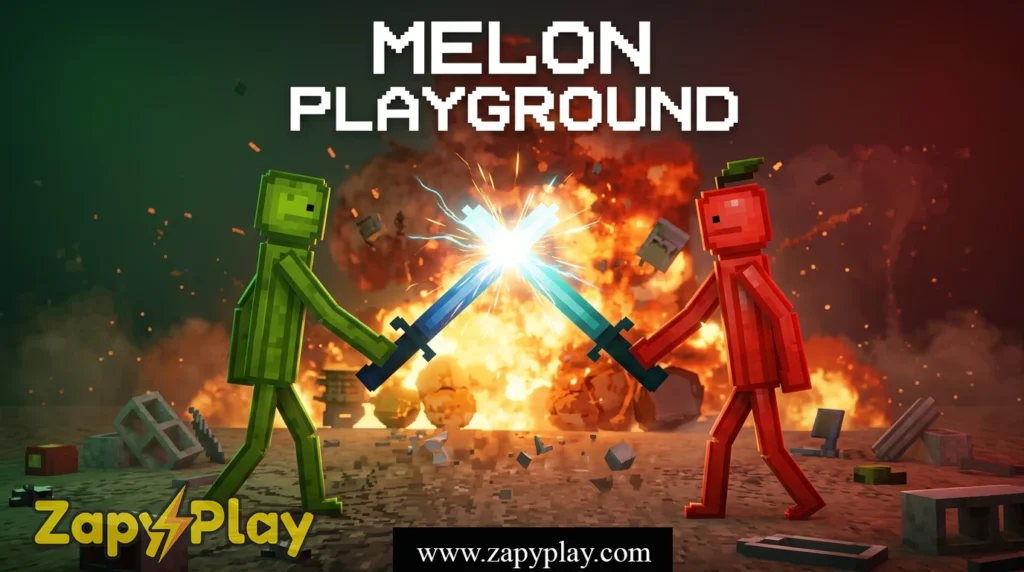
Furthermore, the active modding community constantly introduces new content, from character skin variations to complex scenarios, ensuring the game remains fresh and endlessly replayable. With new updates often bringing improved tools and features, there’s always something fresh to explore. Why not try your hand at creating the next big thing or just enjoying some physics fun? Play Melon Playground today and unleash your inner architect of chaos!
Frequently Asked Questions About Melon Playground
What kind of game is Melon Playground?
Melon Playground is a 2D physics sandbox game where players can experiment with ragdoll characters, various objects, and tools to create diverse scenarios. It focuses on player freedom and interactive physics, allowing for both creative construction and destructive play.
Can I download Melon Playground for free?
Yes, Melon Playground is available for free download on mobile platforms (iOS and Android via APK) and can often be played directly online in your browser without any cost. Many websites offer Melon Playground free play.
Is Melon Playground unblocked and available on school computers?
Many websites provide Melon Playground unblocked versions, which allow players to access the game even on restricted networks like those found in schools. You can often find these versions by searching for “Melon Playground unblocked” or “melon playground playhop”.
How can I get new items and characters in the game?
You can get new items, tools, and character skins through the in-game editor by creating them yourself, or by downloading Melon Playground mods created by the community. The community regularly shares content, from special abilities to new texture packs.
Is there a multiplayer mode in Melon Playground?
The core Melon Playground experience is primarily single-player, focusing on individual creative expression and experimentation. However, communities often share their creations and challenges on platforms like Discord, fostering a sense of shared play, though direct online multiplayer isn’t a primary feature. If you enjoy action with other players, you might like to play Car Eats Car: Dungeon Adventure.
What is the latest version of Melon Playground?
The game receives frequent updates, often adding new items, tools, and bug fixes. To check for the very latest version, it’s best to consult the official developer channels or trusted app stores. Often, you will see version numbers like 1.0 or 2.0. The game has evolved significantly from its original 0.x releases.
Can I play Melon Playground on Mac?
While often associated with PC and mobile, you can play Melon Playground on Mac through various methods, including browser-based versions or using Android emulators. The flexibility of its platform support means Mac users are not left out of the fun.
You May Also Like
Check out these awesome games from our collection:
🎮 How to Play
Spawn Objects
Open the item menu and select from a wide array of characters, weapons, tools, and props to spawn into your playground.
Manipulate Physics
Drag and drop objects, rotate them, or use specific tools like pins and ropes to interact with the environment and characters. Observe how the physics engine reacts.
Use Tools
Select different tools (e.g., syringe, bomb, gun) from your inventory to apply various effects, damage, or transformations to your spawned items and ragdolls.
Build & Experiment
Combine items to construct contraptions, set up chain reactions, or simply experiment with how different elements interact within the sandbox environment.
Control Time & Gravity
Pause, slow down, or fast forward time, and even adjust gravity settings to precisely orchestrate your experiments or create dramatic scenes.
⌨️ Keyboard Controls
⚡ Pro Tips
- Master the Gravity and Time Controls: Understanding how to pause time, slow it down, and manipulate gravity (or even remove it) is fundamental. Use these controls to precisely place objects, set up complex interactions, or create dramatic slow-motion destruction sequences for maximum impact.
- Experiment with the Syringe Tool: The syringe is incredibly versatile. Don't just use it for damage; explore its various effects like healing, growth, or even turning characters into stone. Combining different syringe effects on a single character or object can lead to unexpected and hilarious outcomes.
- Utilize the Pin and Rope Tools: For intricate builds or setting up specific chain reactions, the pin and rope tools are indispensable. Pins can fix objects in place, while ropes connect them, allowing you to construct pulleys, bridges, or swinging traps.
- Explore Community Mods: The Melon Playground mods community is a goldmine of new content. Regularly check forums or in-game mod browsers for new characters, weapons, and maps. These additions can inject fresh life and new possibilities into your gameplay.
- Learn the Item Editor: Don't just settle for pre-made items; dive into the in-game editor. You can change existing textures, adjust physics properties, or even create entirely new objects from a template. This empowers you to truly customize your Melon Playground experience.
- Think Outside the Box with 'Sprunki' Objects: Embrace the game's whimsical side. Sometimes the most creative solutions come from using objects in unintended ways. Try making a door into a weapon or a coin into a projectile. Even something as abstract as a 'Sprunki' device, if you can imagine it, can become a core element in your next big build, defying conventional logic for a truly original experience.