Planet Clicker
📖 About the Game
What Is Planet Clicker?
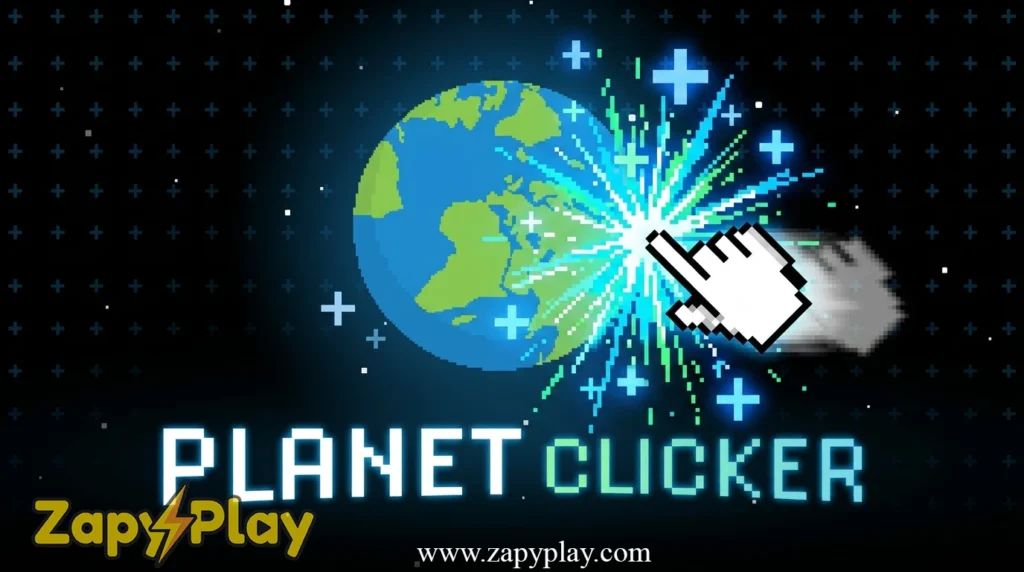
Planet Clicker is a browser-based idle clicker game where your mission is to harvest energy from planets and expand your cosmic empire one click at a time. The core gameplay loop is simple: click to generate energy, spend that energy on upgrades, and automate your production to keep the numbers climbing even when you step away. What sets this game apart from other idle titles is its planetary evolution system — each world visibly transforms as you pour resources into it, giving you a satisfying visual reward that most clickers skip entirely.
The game originated as a fan-favorite on platforms like Scratch, where a planet clicker scratch build gained a huge following before more polished versions spread across arcade portals. It sits comfortably in the tradition of incremental games, a genre defined by exponential growth mechanics and dopamine-fueled progression. Whether you first discovered planet clicker 1 on a school computer or stumbled onto it through a friend’s remix, the hook is immediate.
Why You’ll Love Playing Planet Clicker Online
Top Benefits of Playing Online
One of the strongest selling points is that you can play Planet Clicker free in your browser without any download, apk install, or signup wall. It runs on standard HTML5, which means it loads on virtually any device — desktop, tablet, or a phone running ios — without a hitch. The unblocked version circulates widely, so students who can’t access restricted portals can still enjoy the game at school or on a public network.
Progress is typically saved via cookies in your browser, so closing the tab doesn’t mean losing hours of work. This makes it ideal for short sessions during a break, yet the depth of the upgrade tree rewards longer play too. Fans searching for planet clicker unblocked will find it accessible on multiple hosting sites, and the zero-cost barrier means there’s genuinely no reason not to try it. If you enjoy light strategy experiences with a similar pick-up-and-play energy, you might also love PopStar Mania, another addictive free online game with satisfying combo mechanics.
Game Features
Key Features & Mechanics
- Single-Player Idle Core: Planet Clicker is a solo experience built around the idle genre’s signature loop — click to earn, upgrade to automate, and watch your output scale exponentially over time.
- Planetary Evolution System: As you invest energy into a planet, it visually evolves through distinct stages, rewarding long-term play with genuine cosmetic and mechanical changes rather than just bigger numbers.
- Auto-Generation Upgrades: Auto clickers and passive income buildings can be unlocked early, so even players who can’t sit at the screen for long sessions will see their energy count grow on return. The auto mechanic is central to the mid-game strategy.
- Accessible Session Length: A run can be meaningful in as little as 3 minutes or stretch into hours depending on your goals, making it one of the most flexible arcade games in its category.
- Browser-Based & Cross-Platform: No download required. The game runs on Chrome, Firefox, and Safari, and loads cleanly on ios and Android browsers without needing an apk or special mod.
- Scratch Remix Community: A thriving scratch planet clicker community has produced dozens of remix versions on the Scratch platform, some of which introduce new planets, altered energy curves, and experimental code tweaks that change the feel of the base game significantly.
How Planet Clicker Compares to Similar Arcade Games
Genre Comparisons & Differences
Compared to classic cookie-based clickers — think the landmark title that essentially defined the genre — Planet Clicker trades sugary absurdism for a space-age aesthetic and a tighter focus on visual planet evolution. Where some idle games bury you in menus and random puzzle-like unlock trees, this one keeps the interface clean and the path forward obvious, which lowers the barrier for new players without dumbing down the strategy. It’s a more focused experience than sprawling idle RPGs, and that restraint is a genuine strength.
Against other arcade idle titles with a zoo or ecosystem theme, Planet Clicker holds its own by making the upgrade results visually tangible. You’re not just watching a number on a track increase — you’re watching a barren rock transform into a glowing cosmic body. That feedback loop is more emotionally engaging than a simple progress bar, and it’s the 1 design decision that keeps players coming back after their first session.
Game Modes
Classic Idle Mode
This is the default experience and the mode most players encounter first on cool math games planet clicker listings or general arcade portals. Your objective is to accumulate as much energy as possible by clicking the planet and investing in upgrades that boost your per-click value and passive generation rate. The challenge scales naturally as each subsequent upgrade costs exponentially more, forcing you to think carefully about where to put your next point of spending.
Evolution Challenge Mode
Some versions of the game — particularly those found in the scratch planet clicker remix ecosystem and on github forks — include a structured evolution challenge where you must reach specific planetary milestones within a set number of clicks or a time limit. This mode strips away the pure idle comfort and demands active decision-making, turning a relaxing clicker into something that feels closer to a light puzzle game. Hitting milestone 7 within the click budget requires a precise upgrade order that veterans will recognize immediately.
Prestige & Reset Mode
Once you’ve maxed out a planet’s evolution tree, certain versions allow a prestige reset — you cancel your current progress, return to 0 energy, and begin again with a permanent multiplier applied to all future earnings. This mode is the true endgame for hardcore fans and is what drives the long-tail replayability that idle games like planet clicker 2 iterations are known for. Each prestige run feels meaningfully faster, rewarding the investment you made in the previous cycle.
Tips & Tricks to Win at Planet Clicker
Proven Strategies & Pro Tips
- Prioritize auto-generators early. The moment you can afford the first auto upgrade, buy it before spending on manual click bonuses. Auto income compounds over time, and even a small passive rate will outpace click bonuses within a few minutes of idle play.
- Don’t ignore the evolution threshold bonuses. Each time your planet hits a new evolution stage, you receive a one-time energy multiplier. Plan your upgrade purchases so you cross an evolution threshold right before a major purchase — the bonus can effectively give you a free upgrade.
- Use the prestige reset strategically, not impulsively. Many players cancel their run too early chasing the prestige multiplier. Wait until your progress has visibly stalled for at least 2 to 3 minutes of active play before resetting; the multiplier benefit is only worth it when your base evolution is deep enough.
- If you’re on a scratch planet clicker remix with exposed code, study the energy curve. Some remix versions on github or the Scratch platform make the source code visible, and understanding the cost formula — often a base multiplier raised to the power of the number of upgrades owned — lets you predict exactly when to bulk-buy for maximum efficiency.
- Tab management matters in longer sessions. Because the game saves via cookies, you can safely close the tab and return later. However, some browser settings wipe cookies on close, so verify your browser’s cookie policy before relying on this — losing a deep run to a cleared cache is one of the most frustrating experiences in idle gaming.
- On mobile or ios, avoid force-quitting the browser. Force-closing the app can interrupt the cookie save process. Instead, navigate away gently and let the page idle in the background; most mobile browsers will continue to process the page’s JavaScript for a short time, adding a few extra seconds of passive energy generation.
Who Is Planet Clicker For?
Target Audience & Player Fit
Planet Clicker is tailor-made for casual players who want something engaging but low-pressure during a lunch break, a commute, or a slow afternoon. The game requires no prior gaming experience and the learning curve is essentially flat for the first 10 minutes, making it accessible to younger players and older audiences alike. That said, the deeper prestige mechanics and evolution optimization layer give dedicated idle game fans something to genuinely theorize about.
Players who love the idle game design philosophy — the satisfaction of watching systems work for you — will feel immediately at home here. It’s also a natural fit for anyone who discovered it through cool math games planet clicker listings or hooda math, since both platforms attract students looking for browser games that are quick to learn and hard to put down. If you have 3 minutes or 3 hours, the game scales to meet you.
Why Planet Clicker Is One of the Best Free Online Games to Play
Final Verdict & Recommendation
From a design standpoint, the planetary evolution visual feedback is the single strongest hook in the game — it transforms an otherwise abstract numbers game into something that feels alive and rewarding. Accessibility is equally impressive: no download, no apk, no account, no cost, and it runs cleanly on every major browser including ios Safari and mobile Chrome. The community angle, driven by the scratch planet clicker remix culture and github forks, means the game continues to evolve organically even without official developer updates, giving it a replayability that most one-and-done arcade titles simply can’t match.
Whether you’re revisiting planet clicker 1 for nostalgia or jumping into a new remix for the first time, this is one of those rare free online games that earns every minute you give it. Head to your preferred unblocked games portal and start clicking — your first planet isn’t going to evolve itself.
Frequently Asked Questions About Planet Clicker
What is Planet Clicker and how do you play it?
Planet Clicker is a free idle clicker game where you click on a planet to generate energy, then spend that energy on upgrades to automate and multiply your production. The goal is to evolve your planet through visual stages by accumulating enough energy to unlock each transformation tier. It requires no special skills — just click, upgrade, and watch your cosmic empire grow.
Where can I play Planet Clicker unblocked for free?
You can play planet clicker unblocked on several browser-based arcade portals that host the game without regional or network restrictions. It’s commonly available on cool math games planet clicker listings, planet clicker hooda math pages, and various unblocked game directories accessible from school or work networks. No download or account is needed — just open the page and play directly in your browser.
Is Planet Clicker available on Cool Math Games and Hooda Math?
Yes, versions of the game have been hosted on both cool math games planet clicker and planet clicker hooda math pages, making it one of the more widely distributed browser idle games among educational game portals. The core mechanics remain consistent across both platforms, though minor interface differences may exist. Always check the platform’s current library, as availability can change over time.
What is the Scratch version of Planet Clicker and can I remix it?
The planet clicker scratch version is a community-built adaptation of the concept hosted on the Scratch platform, where users can also create a remix of the project using the site’s built-in code editor. Many scratch planet clicker remixes on github and the Scratch platform introduce new planets, altered energy values, or custom code that changes the pacing significantly. You can freely explore and modify these projects as long as you follow the platform’s remix and attribution guidelines.
Does Planet Clicker 2 exist, and how is it different from the original?
Planet clicker 2 refers to updated or sequel versions of the original game that expand on the base formula with additional planets, deeper prestige systems, and more upgrade tiers. Some versions labeled as planet clicker 2 are fan-made iterations built on Scratch or hosted independently, while others represent official updates to the core game. The sequel builds generally feature a wider evolution track and more aggressive auto-scaling, making them better suited for players who have already completed the first game’s progression.
You May Also Like
Check out these awesome games from our collection:
🎮 How to Play
Click the Planet
Click directly on the planet displayed on screen to generate your initial energy. Each click adds to your total, which you can spend on upgrades in the side panel.
Purchase Upgrades
Use your accumulated energy to buy upgrades that increase your energy per click or add passive auto-generation. Prioritize auto-generators to keep earning even when you're not actively clicking.
Evolve Your Planet
As your energy total crosses specific thresholds, your planet will visually evolve into a new stage. Each evolution grants a bonus multiplier, so plan your upgrades around these milestones.
Prestige and Reset
Once your planet reaches its maximum evolution, use the prestige option to reset your progress in exchange for a permanent multiplier. This makes future runs faster and unlocks deeper upgrade tiers.
Manage Your Session
The game saves your progress automatically via browser cookies. You can close the tab and return later to continue where you left off, making it perfect for short sessions spread across the day.
⌨️ Keyboard Controls
⚡ Pro Tips
- Buy your first auto-generator before upgrading manual click power — passive income compounds much faster over time and will overtake click bonuses within minutes.
- Always wait to hit a planetary evolution milestone before spending a large chunk of energy, since the milestone bonus multiplier can effectively fund your next major upgrade for free.
- Check your browser's cookie settings before starting a long session — if cookies are cleared on browser close, your saved progress will be lost and you'll have to restart from 0.
- In Scratch remix versions with visible source code, study the upgrade cost formula to calculate the optimal bulk-buy point for maximum energy efficiency per upgrade.
- On mobile browsers, avoid force-quitting the app after playing — navigate away gently to ensure the cookie save process completes and your progress is preserved.