Sled Rider 3D
📖 About the Game
What Is Sled Rider 3D?
Sled Rider 3D is a fast-paced, physics-driven snow racing game that puts you on a sled hurtling down steep winter slopes. As a 3D sled rider game, it blends arcade thrills with just enough simulation depth to keep players genuinely engaged. What sets it apart from similar titles is its dynamic track deformation system — the snow actually responds to your path, making every run feel slightly different from the last.
The core gameplay loop is simple but deeply satisfying: steer your sled through winding mountain courses, dodge obstacles, collect coins, and push for the highest score possible. The game draws obvious inspiration from classic downhill racing simulators but wraps it in a polished, browser-friendly package. It’s a genuine 3D sled ride experience you can jump into without any download or installation required.
Why You’ll Love Playing Sled Rider 3D Online
Top Benefits of Playing Online
One of the strongest selling points of this game is that it’s completely free to play directly in your browser. You don’t need to download anything, create an account, or hand over a credit card number. Whether you’re on a lunch break or looking for something fun during downtime, Sled Rider 3D unblocked versions are accessible from virtually any network — including school and office environments where many gaming sites are restricted.
Cross-platform support is another major win. The game runs smoothly on desktop browsers and holds up well on mobile, making it genuinely playable whether you’re on a Chromebook, an iOS device, or a standard Windows PC. Google Chrome handles it particularly well, though most modern browsers deliver a solid frame rate. If you enjoy casual racing experiences that don’t demand a 90-minute session commitment, this one fits perfectly into short breaks or longer play sessions alike — much like the relaxing browser racer Slow Roads, which offers a similarly laid-back driving vibe for fans of smooth, scenic gameplay.
Game Features
Key Features & Mechanics
- Single-Player Racing: The game is built around a solo experience where you race against the clock and your own previous best, chasing a higher score with every run down the mountain.
- Physics-Based Sled Control: The physics engine underneath Sled Rider 3D gives the sled a satisfying weight — lean too hard into a turn and you’ll wipe out; nail the angle and you’ll carve through snow like a pro.
- Unblocked Access: The game is freely accessible on multiple platforms without paywalls or region locks, making it one of the most reliably unblocked racing games in its category.
- Short Session Design: Each run lasts just a few minutes, making it ideal for quick breaks — you can squeeze in three or four attempts before ever feeling like you’ve overcommitted.
- Mobile & Desktop Support: Sled Rider 3D performs well on both iOS touchscreens and desktop keyboards, with control schemes adapted for each platform.
- Obstacle-Rich Tracks: Every track is packed with trees, rocks, ramps, and sudden drops that force you to react quickly and plan your line — the fastest sled in the game is useless if you can’t read the terrain ahead.
How Sled Rider 3D Compares to Similar Action, Sports, Driving, Racing Games
Genre Comparisons & Differences
Compared to other browser-based downhill racing games, Sled Rider 3D leans more into arcade accessibility than pure simulation. Where some titles in the genre punish you with slow restart times and lengthy loading screens, this game gets you back on the slope almost instantly after a crash — a small but meaningful design difference that dramatically improves the overall feel.
Against top-down snow racing games, the 3D perspective here is a clear advantage. You actually see the slope rushing toward you, which creates genuine tension when a tree appears around a blind corner. The depth of field and camera angle make timing your turns feel more intuitive than anything a flat-view racing game can offer.
When stacked against dedicated racing video game franchises, Sled Rider 3D obviously can’t compete on production value — but it was never trying to. Its edge lies in zero-barrier access, snappy controls, and the kind of replayability that doesn’t require much from the player except a willingness to beat their own record.
Game Modes
Classic Downhill Mode
This is the bread-and-butter mode of the 3D sled rider experience. You start at the top of a snowy mountain and race to the bottom, steering around obstacles and collecting coins to boost your score. The track layout stays consistent enough to memorize key hazard zones, but the physics variation keeps each attempt from feeling identical.
Time Trial Mode
In Time Trial, the objective shifts from survival to pure speed. Every glitch in your line costs you precious seconds, and the pressure to maintain momentum without wiping out makes this the most intense mode in the game. Serious players chasing a world-record-style score will spend most of their time here, shaving fractions of a second off each run.
Santa Tracker Edition
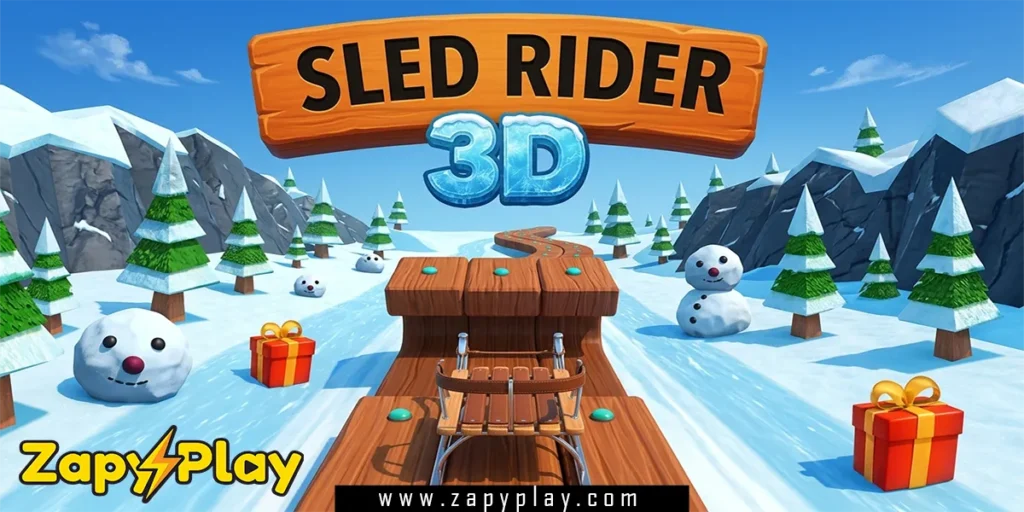
The Sled Rider 3D Santa Tracker edition is a seasonal variant that skins the game in holiday visuals — think Santa hats, gift boxes on the slope, and festive sound effects. The gameplay mechanics stay the same, but the thematic reskin makes it a go-to during the winter holiday period. It’s surprisingly charming and adds a cool layer of seasonal personality to an already fun core game.
Tips & Tricks to Win at Sled Rider 3D
Proven Strategies & Pro Tips
- Learn the Track Before Going Fast: On your first few runs, focus on memorizing obstacle positions rather than chasing the highest score. Once you know where the big rocks and trees appear, you can plan your line in advance instead of reacting last second — this alone will cut your crash rate dramatically.
- Use the Edges of the Track: Hugging the center of the slope might seem safe, but the outer edges often have cleaner lines and fewer obstacles. Experiment with riding the sides of the track to find faster, unobstructed paths that the average player ignores.
- Don’t Overcorrect After a Near Miss: When you barely dodge an obstacle, the instinct is to jerk hard in the opposite direction — resist it. Overcorrection is the number one cause of secondary crashes, especially on narrow sections of the track. Small, controlled inputs keep your sled stable and your score alive.
- Collect Coins Without Deviating: Coins are only worth chasing if they’re directly on your natural line. Veering wide to grab a coin cluster and then crashing costs you far more than the coins were worth. Only break your ideal path for coins that are essentially free pickups.
- Master the Weight-Shift Mechanic: The fastest sled performance comes not from raw speed but from how efficiently you distribute weight through turns. Practice leaning into curves just before they start rather than during — it keeps your momentum high and your sled from sliding wide into obstacles.
Who Is Sled Rider 3D For?
Target Audience & Player Fit
Sled Rider 3D is built for casual gamers who want quick, satisfying sessions without a steep learning curve. It’s an especially good fit for younger players — the controls are intuitive enough that anyone comfortable with arrow keys or a touchscreen can jump in immediately. That said, the time trial and score-chasing elements give older, more competitive players something to sink their teeth into.
If you’re the type who enjoys beating your own best and optimizing a single run over many attempts, this game will hold your attention well. It also works brilliantly as a classroom or office break game — the short session length means you can play a round or two and walk away without losing track of time. Students familiar with Sled Rider 3D Hooda Math versions will already recognize the core loop and feel right at home.
Why Sled Rider 3D Is One of the Best Free Online Games to Play
Final Verdict & Recommendation
From a design standpoint, Sled Rider 3D earns its reputation through tight physics, well-constructed tracks, and a feedback loop that makes every crash feel like a lesson rather than a punishment. The metal-on-snow sound design and fluid 3D visuals are genuinely impressive for a free browser title. It doesn’t try to be anything it isn’t — and that restraint is part of what makes it so good.
On the accessibility front, the game is available online without any download, works across mobile and desktop, and remains one of the most reliably unblocked org and com platform titles in the racing genre. Whether you find it through a school portal, a gaming site, or a direct search, getting into a run takes under ten seconds. That kind of friction-free access is rare and valuable.
Replayability is where the 3D sled rider game truly shines. Chasing a higher score, finding a faster line, or simply trying to beat a friend’s record keeps the experience fresh long after the novelty wears off. If you enjoy this style of game, you might also appreciate the score-chasing rush of Eggycar, another free browser title with similarly addictive momentum-based gameplay. Jump in, pick your line, and start sliding — you won’t regret it.
Frequently Asked Questions About Sled Rider 3D
What is Sled Rider 3D and how does it work?
Sled Rider 3D is a browser-based downhill snow racing game where you steer a sled through obstacle-filled mountain tracks. You control direction using arrow keys or touch input, collect coins, and try to reach the bottom with the highest score possible. The physics engine gives the sled realistic weight and momentum, so smooth, efficient steering consistently outperforms aggressive jerking inputs.
How do I play Sled Rider 3D unblocked at school or work?
The game is available on multiple free gaming platforms that bypass network restrictions commonly found in school or office environments. Searching for Sled Rider 3D unblocked will surface several working sites where the game loads directly in your browser without any download or login. No special software or VPN is required in most cases.
Is there a Sled Rider 3D version on GitHub or GitLab?
Yes, there are community-hosted versions of the Sled Rider 3D game available on GitHub, and some developer forks have also appeared on GitLab. The Sled Rider 3D GitHub repositories are typically maintained by independent developers who have preserved or modified the original game code. These versions vary in quality, so checking the commit history and readme before playing from a GitHub source is a smart move.
What is the fastest sled in Snow Rider 3D, and what is the best sled overall?
In Snow Rider 3D, the fastest sled is generally the premium metal sled unlocked at higher coin thresholds — it has the lowest drag coefficient and maintains speed better on flat sections. However, what is the best sled in Snow Rider 3D depends on your play style: speed-focused players prefer the metal option, while beginners often do better with mid-tier sleds that offer slightly better turning control. Trying each sled on a familiar track is the most reliable way to find your personal best match.
Is Sled Rider 3D available on mobile and iOS devices?
Yes, the game supports mobile play including iOS devices, with touch controls adapted for smaller screens. The experience is smooth on most modern smartphones and tablets, though a desktop or laptop tends to offer more precise steering via keyboard. There is no dedicated app download required — the mobile version runs entirely in a compatible web browser, making it instantly accessible without taking up storage space on your device.
Where did the Sled Rider 3D Hooda Math version come from?
The Sled Rider 3D Hooda Math edition refers to the version hosted on the Hooda Math educational gaming platform, which features the game as part of its free browser game library. The Hooda Math version is identical in gameplay to the standard release and became popular because the site is commonly unblocked in school settings. It’s a go-to for students looking to enjoy a quick sled ride 3D experience during free periods without hitting a firewall.
You May Also Like
Check out these awesome games from our collection:
🎮 How to Play
Choose Your Sled
At the start screen, select your sled from the available options. Different sleds have varying speed and handling stats, so pick one that matches your current skill level before hitting the slope.
Start Your Run
Press the start button or hit any movement key to begin your descent. Your sled will automatically gain speed as the slope steepens, so get ready to steer immediately.
Steer and Dodge Obstacles
Use the left and right arrow keys (or tilt your device on mobile) to steer around trees, rocks, and other hazards. Smooth, anticipatory inputs work far better than last-second jerks.
Collect Coins
Coins are scattered throughout each track and add to your overall score. Only chase coins that sit directly on your natural line — detouring too far for them often leads to crashes.
Reach the Finish and Check Your Score
Complete the run to see your final score and time. Compare it to your previous best and use what you learned about the track layout to improve on your next attempt.
⌨️ Keyboard Controls
⚡ Pro Tips
- Memorize the first three major obstacles on each track — they appear in the same positions every run, so knowing them in advance lets you set up a clean line from the very start rather than reacting under pressure.
- Resist the urge to hold a steering key continuously through long curves. Tap and release in short pulses to maintain sled stability, especially on icy-looking sections where the physics simulation reduces friction and makes overcorrection much more likely.