Five Nights At Freddy’s 2
📖 About the Game
What Is Five Nights At Freddy’s 2?
Five Nights At Freddy’s 2 is a browser-based survival horror game that places you in the role of a security guard working the night shift at Freddy Fazbear’s Pizza. Your objective is to survive five nights while monitoring a network of security cameras and defending yourself against malfunctioning animatronic characters that roam the building. Unlike typical point-and-click adventure games, this title strips away combat mechanics entirely, forcing you to rely on limited resources like a flashlight and a Freddy Fazbear head mask to survive.
Released as the sequel to the original Five Nights At Freddy’s, this installment ramps up the tension with more animatronics, faster gameplay, and the removal of security doors. You’re essentially defenseless except for your wits and quick reflexes. The game runs directly in your browser without downloads, making it instantly accessible for horror enthusiasts seeking a quick adrenaline rush during lunch breaks or late-night gaming sessions.
What sets Five Nights At Freddy’s 2 apart from other browser horror games is its unique blend of resource management and psychological tension. You must balance checking cameras, winding a music box to keep one animatronic at bay, and flashing your hallway light, all while conserving limited battery power that drains with every action.
Why You’ll Love Playing Five Nights At Freddy’s 2 Online
Top Benefits of Playing Online
The browser version of Five Nights At Freddy’s 2 eliminates installation barriers that often prevent players from experiencing indie horror gems. You can jump straight into the nightmare without worrying about system requirements or storage space. This accessibility makes it perfect for school or office computers where downloading software isn’t an option.
Cross-platform compatibility means you can experience the same heart-pounding terror whether you’re on Windows, Mac, or even Chromebook. The game maintains consistent performance across devices, ensuring that every creak and footstep sounds exactly as the developer intended. Many players appreciate that browser-based horror games like this one allow them to quickly close the tab when things get too intense, providing an instant escape route that downloadable games can’t match.
Free-to-play access removes financial barriers while delivering premium horror content. You’re getting a full narrative experience with multiple nights of gameplay without spending a penny, making it one of the most generous offerings in the survival horror genre available online today.
Game Features
Key Features & Mechanics
- Single-player survival mode spanning five increasingly difficult nights, with each shift lasting approximately 8-10 minutes of real-time gameplay that feels significantly longer due to the constant tension and jump scares.
- Camera monitoring system featuring 11 different camera feeds that you must cycle through to track animatronic movements, with each camera providing crucial information about which characters are approaching your office.
- Resource management mechanics centered around limited flashlight battery and the need to wind a music box remotely, creating constant strategic decisions about where to focus your attention.
- Freddy Fazbear mask mechanic that allows you to fool most animatronics by quickly donning a costume head when they enter your office, adding a unique defensive element not present in similar horror titles.
- Browser-based HTML5 technology ensures the game runs smoothly without plugins, loading in under 30 seconds on most internet connections.
- Quick session gameplay that makes each night feel like a contained experience, perfect for players who want intense horror in digestible chunks rather than marathon sessions.
- Audio cue system that requires headphones for the optimal experience, as subtle sounds like footsteps and ventilation noises provide critical warnings about approaching threats.
Characters & World
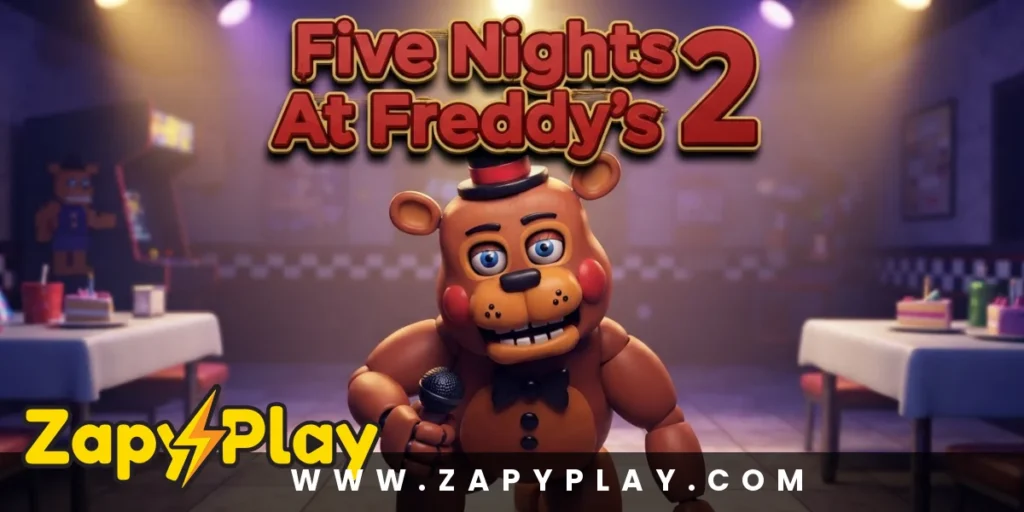
The animatronic cast of Five Nights At Freddy’s 2 includes both refurbished versions of classic characters and entirely new “toy” variants. Toy Freddy, Toy Bonnie, and Toy Chica represent the restaurant’s attempt to modernize its brand with sleeker, more child-friendly designs. However, these new models are just as dangerous as their withered counterparts when night falls.
The withered animatronics—including Withered Freddy, Withered Bonnie, Withered Chica, and Withered Foxy—are damaged versions of the original characters, with exposed endoskeletons and missing parts that make them particularly unsettling. Each character has distinct movement patterns and attack behaviors that you must learn to anticipate. The Marionette, controlled by the music box mechanic, presents a unique threat that ignores the mask defense entirely.
Balloon Boy, while not directly lethal, disables your flashlight if he enters your office, leaving you vulnerable to other animatronics. Golden Freddy appears as a rare hallucination that can end your night instantly if you don’t react quickly. The office environment itself feels claustrophobic, with only two hallways and a ventilation system connecting you to the rest of the building, creating a sense of being trapped in a confined space with nowhere to run.
Game Modes
Main Campaign Mode
The core campaign challenges you to survive five consecutive nights at Freddy Fazbear’s Pizza, with each night introducing more aggressive animatronic behavior. Night One serves as a gentle introduction with only a few characters active, allowing you to familiarize yourself with the camera system and mask mechanics. By Night Five, nearly every animatronic is hunting you simultaneously, creating an overwhelming sensory experience that tests your multitasking abilities.
Phone Guy’s voicemails at the start of each night provide lore and gameplay hints, though his messages become increasingly ominous as the week progresses. Completing all five nights unlocks bonus content and provides a sense of genuine accomplishment that few browser games deliver.
Custom Night Mode
After beating Night Five, you unlock Custom Night, which allows you to adjust the difficulty level of individual animatronics from 0 to 20. This mode transforms Five Nights At Freddy’s 2 into an endlessly replayable challenge where you can create your own difficulty presets. Setting all characters to 20 creates the infamous “10/20 mode,” considered one of the hardest challenges in indie horror gaming.
Custom Night also includes preset challenges with names like “Foxy Foxy” and “Golden Freddy,” each focusing on specific animatronics or gameplay scenarios. This mode appeals to completionists and players seeking to master every aspect of the game’s mechanics, similar to how Lets Kill Evil Nun offers escalating difficulty options for dedicated horror fans.
Tips & Tricks to Win at Five Nights At Freddy’s 2
Proven Strategies & Pro Tips
- Prioritize winding the music box above all other tasks, checking camera 11 every 5-10 seconds to keep the Marionette contained. If the music box runs out completely, the Marionette will ignore all defenses and end your night instantly. Think of this as your most important resource management task—let everything else slide before you let that music box wind down.
- Learn to distinguish animatronic audio cues without relying solely on cameras, as different characters make unique sounds when moving through vents or hallways. Withered Bonnie creates a deep, rumbling noise, while Toy Chica’s footsteps have a lighter, faster rhythm. This auditory awareness lets you predict threats without constantly checking cameras, conserving precious time and battery.
- Flash your hallway light only when you hear movement directly outside your office, as unnecessary flashing drains battery and wastes time you could spend monitoring cameras. Wait for the distinctive breathing or shuffling sound before illuminating the hall. If you see an animatronic, immediately put on the mask and wait until you hear them leave.
- Check vents systematically rather than randomly clicking cameras, establishing a rotation pattern like vent left, music box, vent right, then back to music box. This methodical approach ensures you never neglect critical areas while maintaining the music box. Random checking often results in tunnel vision where you focus on one animatronic and forget about others.
- Keep the mask on for at least 3-5 seconds after an animatronic enters your office, as removing it too quickly will trigger an attack even if they appear to have left. Many players die because they’re impatient and drop the mask too early. Wait for complete silence before removing your disguise, then immediately check the music box as your first action.
Who Is Five Nights At Freddy’s 2 For?
Target Audience & Player Fit
Five Nights At Freddy’s 2 appeals primarily to horror enthusiasts who enjoy psychological tension over gore or action-based scares. The game is best suited for teenagers and adults who appreciate atmospheric dread and don’t mind jump scares as punctuation to sustained anxiety. Each night takes only 8-10 minutes, making it ideal for players seeking intense gaming experiences in short bursts rather than hour-long sessions.
Beginners to survival horror will find the early nights accessible, with a manageable learning curve that introduces mechanics gradually. However, the difficulty spike in later nights means patient players willing to learn from failure will get the most satisfaction. This isn’t a game for those who frustrate easily or dislike repetition, as you’ll likely fail multiple times before developing the necessary skills and pattern recognition.
Office workers and students particularly appreciate how the game’s browser-based nature allows for quick gaming sessions during breaks. The ability to pause by simply leaving the tab makes it practical for environments where you might need to suddenly shift attention back to work or studies.
Why Five Nights At Freddy’s 2 Is One of the Best Free Online Games to Play
Final Verdict & Recommendation
Five Nights At Freddy’s 2 delivers authentic psychological horror through elegant game design that maximizes tension with minimal mechanics. The resource management system creates meaningful decisions every second, forcing you to constantly balance multiple threats simultaneously rather than passively watching events unfold. This active engagement keeps you mentally invested in ways that passive horror experiences rarely achieve.
From an accessibility standpoint, the browser implementation removes every barrier between you and the experience—no downloads, no account creation, no payment required. You’re literally two clicks away from one of indie gaming’s most influential survival horror experiences. This democratization of quality horror content has helped the game build a massive community of players who share strategies, fan theories, and custom challenge runs.
The game’s replayability stems from Custom Night’s infinite difficulty configurations and the community-driven challenge culture surrounding infamous difficulty presets. Even after beating the main campaign, players return to test themselves against increasingly punishing scenarios, creating a competitive meta-game around survival times and completion strategies. If you’re looking for browser-based horror that respects your time while delivering genuine scares, Five Nights At Freddy’s 2 deserves a spot at the top of your playlist—just remember to play with headphones for the full nerve-wracking experience.
Frequently Asked Questions About Five Nights At Freddy’s 2
Is Five Nights At Freddy’s 2 completely free to play in browsers?
Yes, the browser version is entirely free with no hidden costs, microtransactions, or premium features locked behind paywalls. You get the complete game including all nights and Custom Night mode without spending anything.
How long does it take to beat Five Nights At Freddy’s 2?
Each night lasts approximately 8-10 minutes of in-game time, so the main campaign takes about 40-50 minutes if you beat each night on your first attempt. However, most players will need multiple attempts per night, making the actual completion time closer to 3-5 hours for first-time players learning the mechanics and animatronic patterns.
Can I play Five Nights At Freddy’s 2 on mobile devices?
While the browser version is optimized for desktop with mouse controls, some mobile browsers can run the game with varying degrees of success. The experience is significantly better on desktop or laptop computers where you can quickly navigate between cameras and use the mask efficiently. Touchscreen controls don’t provide the precision needed for the game’s fast-paced mechanics, especially during later nights.
What makes Five Nights At Freddy’s 2 harder than the original game?
The sequel removes the security doors that provided protection in the first game, replacing them with the less reliable Freddy mask mechanic. You also face nearly twice as many animatronics, including characters that ignore the mask entirely like the Marionette. The music box mechanic adds another constant task to your workload, creating more multitasking pressure than the original ever demanded.
Do I need to play the first Five Nights At Freddy’s before playing the sequel?
No, Five Nights At Freddy’s 2 is designed to be accessible to newcomers, with Phone Guy explaining all necessary mechanics during the first few nights. However, playing the original first does enhance your appreciation for the lore connections and gameplay evolution. The sequel actually serves as a prequel story-wise, so playing it first won’t spoil the original’s narrative.
Why won’t the animatronics leave when I put on the Freddy mask?
You need to keep the mask on for several seconds—typically 3-5 seconds minimum—to fool the animatronics completely. Many players remove the mask too quickly after putting it on, which the game treats as never having worn it at all. Additionally, certain characters like Foxy and the Marionette completely ignore the mask, requiring different defensive strategies like flashing your light or maintaining the music box respectively.
You May Also Like
Check out these awesome games from our collection:
🎮 How to Play
Monitor Security Cameras
Click the camera button at the bottom of your screen to bring up the camera monitor. Use this to track animatronic movements throughout the building and to wind the music box in camera 11, which keeps the Marionette contained.
Check Your Hallways
Click the light button to illuminate the hallway directly in front of your office. If you see an animatronic standing there, immediately put on your Freddy mask to avoid an attack.
Use the Freddy Mask
When an animatronic enters your office or appears in your hallway, quickly click to put on the Freddy Fazbear mask. Keep it on for at least 3-5 seconds until you hear the animatronic leave.
Wind the Music Box
Regularly switch to camera 11 and click the wind-up button to keep the music box playing. If it runs out completely, the Marionette will attack regardless of any defensive measures you take.
Listen for Audio Cues
Pay close attention to sounds like footsteps, breathing, and ventilation noises. These audio cues tell you which animatronics are nearby and help you react before they appear on cameras.
Survive Until 6 AM
Your goal is to make it from 12 AM to 6 AM in-game time, which takes approximately 8-10 minutes in real time. Manage your limited resources and attention carefully to survive each increasingly difficult night.
⌨️ Keyboard Controls
⚡ Pro Tips
- Check the music box every 5-10 seconds without exception, as the Marionette is the only animatronic that guarantees an instant game over with no defense available.
- Learn to identify each animatronic by their unique audio signature, allowing you to anticipate threats without constantly checking cameras and draining precious time.
- Keep the Freddy mask on for a full 5 seconds after an animatronic enters your office, as premature removal is the most common cause of unexpected deaths.
- Establish a systematic camera rotation pattern rather than checking randomly, ensuring you never neglect critical areas like the vents and music box location.
- Use the hallway light sparingly and only when you hear suspicious sounds directly outside, as unnecessary flashing wastes time you could spend managing other threats.