Five Nights At Freddy’s
📖 About the Game
What Is Five Nights At Freddy’s?
Five Nights At Freddy’s is a survival horror arcade game that pioneered the point-and-click terror genre when it first launched in 2014. Players assume the role of a night security guard trapped in Freddy Fazbear’s Pizza, monitoring security cameras and managing limited power resources to survive until 6 AM. Unlike traditional arcade games that emphasize fast reflexes, this fnaf revolutionized browser-based horror by using anticipation and resource management as core mechanics, creating an atmosphere of dread through sound design and strategic gameplay rather than jump scares alone.
Why You’ll Love Playing Five Nights at Freddy’s Online
Top Benefits of Playing Online
The browser-based version of Five Nights At Freddy’s eliminates download barriers, letting you dive straight into the terror from any device with internet access. You can play this horror classic completely free without registration or subscription fees. Cross-platform compatibility means the same nightmare-inducing experience works seamlessly on desktop computers, Chromebooks, and tablets, making it one of the most accessible horror experiences available in unblocked game libraries.
The instant-play format removes installation hassles while preserving the full atmospheric tension of the original release. No storage space requirements mean you can experience the game during breaks or downtime without cluttering your device. The lightweight HTML5 implementation loads quickly even on older hardware, ensuring smooth camera transitions and responsive door controls that are critical for survival.
Five Nights at Freddy’s Game Features
Key Features & Mechanics
- Single-player survival experience where you monitor 11 different security camera feeds across five increasingly difficult nights, each lasting approximately 8-9 minutes of real-world time.
- Strategic power management system that forces players to balance camera surveillance, hallway lights, and security door usage with a depleting battery meter that creates escalating tension.
- Four distinct animatronic antagonists—Freddy, Bonnie, Chica, and Foxy—each following unique AI behavior patterns that players must learn and counter through observation and timing.
- Browser-based accessibility with no download requirements, optimized for HTML5 technology that ensures compatibility across multiple platforms and operating systems.
- Quick session gameplay with each night taking under 10 minutes, making it perfect for brief gaming sessions while maintaining high replay value through difficulty progression.
- Audio-driven gameplay where headphone use is strongly recommended, as directional footstep sounds and breathing noises provide critical information about animatronic locations.
Fnaf Characters & World
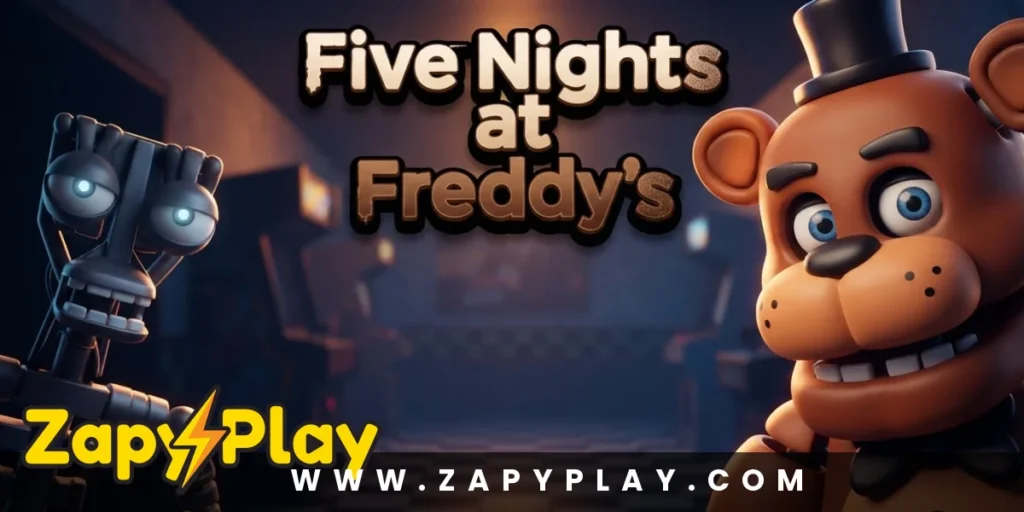
The Five Nights at Freddy’s game takes place entirely within the claustrophobic security office of Freddy Fazbear’s Pizza, a fictional family restaurant haunted by malfunctioning entertainment robots. Freddy Fazbear serves as the titular antagonist and leader of the animatronic band, becoming more aggressive as the week progresses. Bonnie the Bunny approaches from the left hallway and typically moves through the backstage area, while Chica the Chicken favors the right hallway route through the kitchen.
Foxy the Pirate Fox operates differently from the other characters, hiding behind the curtain in Pirate Cove until players neglect camera surveillance. The setting brilliantly exploits childhood nostalgia for pizza parlor animatronics, transforming familiar entertainment robots into relentless hunters. Each character’s appearance combines cheerful children’s entertainment aesthetics with uncanny valley horror, creating visual designs that feel simultaneously inviting and deeply wrong.
The environmental storytelling through newspaper clippings and phone messages gradually reveals the dark history of Freddy Fazbear’s Pizza fnaf. This narrative layer adds context to the horror without breaking immersion, similar to how games like Pacman use environmental cues to enhance gameplay experience. The decaying state of the animatronics and the ominous warnings from the phone guy create a cohesive world that extends beyond simple survival mechanics.
Game Modes
Campaign Mode
The standard campaign progresses through five consecutive nights, each introducing harder AI difficulty levels and more aggressive animatronic behavior patterns. Players must complete each night in sequence to unlock the next, with Night 5 presenting the ultimate challenge as all four animatronics reach maximum aggression. Beating the fifth night unlocks additional content and proves mastery over the game’s resource management systems.
Custom Night Mode
After completing the main campaign, Custom Night becomes available, allowing players to manually adjust the AI difficulty level of each individual animatronic from 0 to 20. This mode transforms Five Nights At Freddy’s into an endlessly replayable challenge where players can create their own difficulty curves or attempt the infamous 20/20/20/20 mode. The customization options let you practice against specific animatronics or design nightmare scenarios that exceed the difficulty of the standard campaign.
Tips & Tricks to Win at Five Nights At Freddy’s
Five Nights at Freddy’s Proven Strategies & Pro Tips
- Check Pirate Cove (Camera 1C) every 3-4 camera flips to prevent Foxy from sprinting down the left hallway and draining massive amounts of power. Foxy becomes progressively more active if ignored, and his running attack costs more power to defend against than any other animatronic threat. If you see the curtain fully open with Foxy gone, immediately close the left door before switching to other cameras.
- Listen carefully for audio cues rather than relying solely on visual camera checks, as directional footsteps and breathing sounds consume zero power while providing crucial location information. When you hear heavy breathing in either doorway, close that door immediately without wasting time checking the light. This audio-first approach can save 20-30% of your power budget across a full night.
- Develop a consistent camera checking rotation rather than randomly flipping between feeds, focusing on chokepoint cameras like the Show Stage (Camera 1A), both hallway corners (Cameras 2A and 2B), and Pirate Cove. A systematic approach prevents you from losing track of animatronic positions during critical moments. Most successful players complete their full rotation every 8-10 seconds during early night hours.
- Never leave doors closed longer than absolutely necessary, as each second with a door lowered drains your power exponentially faster than camera or light usage. The instant you confirm an animatronic has left your doorway through audio cues (footsteps moving away) or by checking the light, raise that door immediately. Keeping a door closed for just five unnecessary seconds can mean the difference between surviving and running out of power at 5 AM.
- Manage your power consumption to reach each hour marker with appropriate reserves: aim for 80% at 1 AM, 60% at 2 AM, 40% at 3 AM, 25% at 4 AM, and 10% at 5 AM. These benchmarks help you gauge whether you’re checking cameras too frequently or leaving doors closed too long. If you reach an hour marker significantly below these thresholds, adopt a more conservative strategy immediately by reducing camera checks and relying more on audio cues.
Who Is Five Nights At Freddy’s For?
Fnaf Target Audience & Player Fit
Five Nights At Freddy’s appeals to players who enjoy psychological horror and strategic resource management over action-based gameplay. The game suits those who appreciate tension-building experiences and can handle sudden jump scares when they fail to properly manage threats. Its quick session length makes it ideal for players seeking intense 8-10 minute gaming experiences rather than extended play sessions, though the addictive nature often leads to multiple consecutive attempts.
The difficulty curve accommodates both horror newcomers and genre veterans, with early nights serving as tutorials before ramping up to genuinely challenging scenarios. Players who enjoy pattern recognition and learning enemy AI behaviors will find deep satisfaction in mastering each animatronic’s movement patterns. The game particularly resonates with audiences aged 13 and up who grew up with family pizza restaurants and can appreciate the subversion of nostalgic imagery.
Why Five Nights At Freddy’s Is One of the Best Free Online Games to Play
Final Verdict & Recommendation
The game’s brilliant design strips horror down to its essential elements: limited information, scarce resources, and consequences for mistakes. By forcing players to make constant risk-versus-reward decisions about power usage, it creates organic tension that escalates naturally throughout each night. The accessibility factor cannot be overstated—being able to experience this landmark horror title directly in your browser without downloads or payments removes all barriers between you and one of gaming’s most influential indie titles.
The massive community surrounding this franchise means endless strategy discussions, speed-running competitions, and fan theories that extend the experience beyond the base game. Five Nights At Freddy’s spawned an entire subgenre of survival horror games and remains the gold standard for resource-management terror. Whether you’re a horror enthusiast or simply curious about the cultural phenomenon, this browser version delivers the full nightmare-inducing experience with zero commitment required—just open your browser and try to survive until 6 AM.
Frequently Asked Questions About Five Nights At Freddy’s
How do you survive the first night in Five Nights at Freddy’s?
Night 1 serves as a tutorial with minimal animatronic activity, primarily featuring Bonnie and Chica making slow movements. Check cameras occasionally to track their positions, close doors only when you confirm an animatronic is directly in your doorway using the door lights, and check Pirate Cove every few camera flips. Conserve power by avoiding unnecessary camera usage and never leaving doors closed longer than needed—you should easily finish Night 1 with 20-30% power remaining if you follow these basics.
Is Five Nights At Freddy’s available to play for free online?
Yes, Fnaf browser-based version is completely free to play without requiring downloads, account registration, or payment of any kind. You can access it through unblocked game websites that offer instant-play experiences directly in your browser. The free online version preserves all core gameplay mechanics, animatronic behaviors, and the full five-night campaign from the original release.
What happens if you run out of power before 6 AM?
When your power hits zero, all lights shut off, doors open, and your security equipment becomes useless. Freddy Fazbear appears in the left doorway and plays his signature music box tune while his eyes glow in the darkness. After several tense seconds of this sequence, Freddy delivers a jump scare that ends your night in failure, forcing you to restart from the beginning of that night.
Can you play Five Nights At Freddy’s on mobile devices and tablets?
The browser-based version of Fnaf works on tablets with touchscreen controls replacing mouse clicks for camera navigation and door operation. However, the experience is optimized for devices with precise pointing controls and quality audio output. Mobile phones with smaller screens may present playability challenges due to the need to quickly navigate between multiple camera feeds and door controls, though it remains technically functional on most modern smartphones.
What makes the animatronics move in Five Nights At Freddy’s?
According to the game’s lore, the animatronics are malfunctioning entertainment robots that mistake the night guard for an endoskeleton without a costume, attempting to forcibly stuff you into a spare Freddy Fazbear suit. Each animatronic operates on AI difficulty levels that determine movement frequency and aggression, with Freddy becoming active only on later nights while Foxy’s behavior depends entirely on camera surveillance frequency. The increasing difficulty across nights represents the animatronics becoming more aggressive and determined to reach your office.
How long does each night last in the game?
Each in-game night from 12 AM to 6 AM lasts approximately 8-9 minutes in real time, with each hour passing after roughly 89 seconds. This condensed timeframe creates intense pressure as you must survive these minutes while managing your limited power supply. Later nights feel longer due to increased animatronic activity forcing more frequent defensive actions, but the actual duration remains consistent across all five campaign nights.
You May Also Like
Check out these awesome games from our collection:
🎮 How to Play
Monitor Security Cameras
Click the monitor button at the bottom of the screen to access the camera system. Navigate between 11 different camera feeds to track the movements of Freddy, Bonnie, Chica, and Foxy throughout the restaurant. Pay special attention to Pirate Cove (Camera 1C) and the hallway corners (Cameras 2A and 2B) as these locations provide critical information about immediate threats.
Control the Door Lights and Doors
Use the light buttons on either side of your office to illuminate the doorways and check for animatronics standing directly outside. When you spot an animatronic in a doorway, immediately press the corresponding door button to lower the security door and block their entry. Raise the door as soon as the threat passes to conserve power.
Manage Your Power Supply
Watch the power indicator in the bottom left corner, which shows your remaining battery percentage and current usage rate. Every action—viewing cameras, using lights, and especially keeping doors closed—drains power. Balance active surveillance with conservation, as running out of power before 6 AM results in certain death.
Listen for Audio Cues
Wear headphones and pay attention to footstep sounds, which indicate animatronic movement in the hallways. Heavy breathing sounds near your doors signal an immediate threat requiring door closure. Audio cues provide crucial information without consuming power, making them essential for efficient resource management.
Survive Until 6 AM
Each night lasts approximately 8-9 minutes of real time, progressing through in-game hours from 12 AM to 6 AM. Successfully reaching 6 AM completes the night and unlocks the next level. Develop a consistent rhythm of checking cameras, verifying doorways, and managing doors to maximize your survival chances across all five nights.
⌨️ Keyboard Controls
⚡ Pro Tips
- Check Pirate Cove (Camera 1C) every 3-4 camera flips to keep Foxy from sprinting down the left hallway and draining massive amounts of power with his attack.
- Rely on audio cues like footsteps and breathing rather than constantly checking cameras, as listening consumes zero power while providing critical location information about nearby animatronics.
- Never leave doors closed longer than absolutely necessary—each second with a door lowered drains exponentially more power than cameras or lights, so raise doors immediately after threats pass.
- Develop a systematic camera rotation pattern focusing on chokepoint locations rather than randomly checking feeds, which helps you maintain awareness without wasting time or power.
- Track your power consumption against time benchmarks: aim for 80% at 1 AM, 60% at 2 AM, 40% at 3 AM, 25% at 4 AM, and 10% at 5 AM to ensure you survive until 6 AM.